

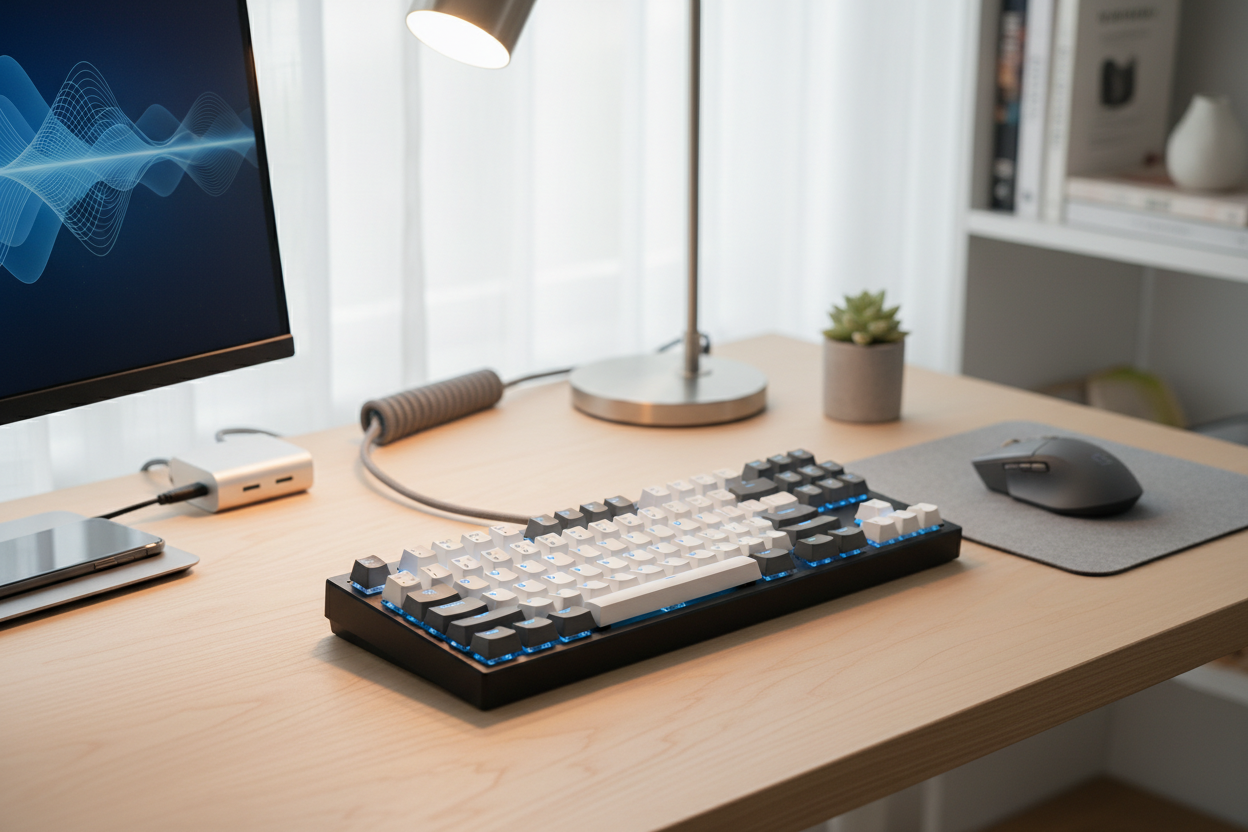
The term “thocky keyboard” has become one of the most searched phrases in the mechanical keyboard community. If you’ve watched keyboard sound tests on YouTube or scrolled through TikTok or Reddit, you’ve probably heard that deep, satisfying “thock” sound that enthusiasts chase. But what exactly is a thocky keyboard, and how do you achieve that sound yourself?
What Is a “Thocky” Keyboard?
A thocky keyboard refers to a mechanical keyboard that produces a deep, low-pitched, muted sound when typing. Instead of sharp clicks or high-pitched clacks, a thocky keyboard sounds fuller, rounder, and more bass-heavy. Many people describe it as “marbly,” “creamy,” or “soft yet solid.”
The thock sound comes from a combination of keyboard acoustics, materials, and tuning choices. It’s not caused by a single part, but rather how all components interact together.
Why Do People Love Thocky Keyboards?
Thocky keyboards are popular because they sound premium, controlled, and satisfying. Compared to loud clicky switches or hollow-sounding boards, a thocky mechanical keyboard feels more refined. Many users also find thocky keyboards less fatiguing for long typing sessions, streaming, or office use.
In addition, thocky keyboards dominate keyboard sound tests and ASMR content, making them highly desirable for content creators and enthusiasts alike.
What Affects Keyboard Sound and “Thock”?
Keyboard Case Material
The keyboard case plays a major role in sound profile. Aluminum keyboard cases are popular for thocky builds because they are dense and help create a deeper sound. Plastic cases can also be thocky when properly dampened, while acrylic cases tend to sound higher-pitched.
Heavier cases generally reduce unwanted resonance and hollow sounds, which helps emphasize a thocky typing sound.
Plate Material
Keyboard plate material significantly affects stiffness and acoustics:
- Polycarbonate plates produce a softer, deeper, and more muted sound, making them ideal for thocky keyboards.
- FR4 plates balance firmness and warmth, offering controlled thock with good feedback.
- Aluminum plates are stiffer and slightly higher-pitched but can still sound thocky with foam and tuning.
- Steel plates are the least thocky due to their stiffness and sharper sound.
Switch Type and Housing
Switches are one of the most important factors in achieving a thocky keyboard sound.
- Linear switches are the most common choice for thocky builds because they produce a smooth, uninterrupted sound.
- Long-pole switches can create a deeper bottom-out thock depending on the plate and case.
- Full nylon or POM housings tend to sound deeper than polycarbonate housings.
Popular thocky switches often include pre-lubed linears, custom linear switches, and switches designed for deeper acoustics.
Keycap Material and Profile
Keycaps dramatically influence keyboard sound. Thick keycaps lower pitch and reduce clack.
- PBT keycaps are preferred for thocky keyboards due to their thickness and muted sound.
- Cherry profile and similar low-profile sculpted keycaps often sound deeper than tall profiles.
- Thicker keycaps generally equal deeper thock.
Mounting Style
The keyboard mounting style affects how vibrations travel through the case.
- Gasket mount keyboards are popular for thock because they isolate the plate and reduce harsh vibrations.
- Top mount can still be thocky with proper foam and tuning.
- Tray mount often requires extra mods to avoid hollowness.
Foam and Dampening
Foam is essential for eliminating hollow sounds and enhancing thock.
- Case foam reduces echo and resonance inside the keyboard case.
- Plate foam softens keystrokes and deepens sound.
- PCB foam helps remove unwanted high-frequency noise.
How to Make Your Keyboard Sound More Thocky
Lube Your Switches
Lubing switches reduces scratchiness and removes high-pitched noise, resulting in a smoother, deeper sound. Switch lubrication is one of the most effective mods for achieving a thocky keyboard.
Use Thicker Keycaps
Upgrading to thick PBT keycaps is a fast way to lower pitch and increase thock without modifying internal components.
Add or Tune Foam
Experimenting with different foam thicknesses can drastically change sound. Avoid overfilling, as too much foam can make the keyboard sound dull instead of thocky.
Stabilizer Tuning
Rattly stabilizers ruin thock. Lubed, clipped, and balanced stabilizers help spacebar and large keys sound deep and clean.
Desk and Environment
Your desk setup matters. Desk mats, wooden desks, and room acoustics all affect how thocky your keyboard sounds in real life and on recordings.
Common Myths About Thocky Keyboards
A thocky keyboard does not require expensive parts. Budget keyboards can sound thocky with the right mods. Thock is also subjective—what sounds thocky to one person may sound muted or clacky to another.
Final Thoughts
A thocky keyboard is the result of thoughtful tuning, not just buying a single component. Case material, plate choice, switches, keycaps, mounting style, and foam all work together to create that deep, satisfying sound. Whether you’re building a custom mechanical keyboard or modding a prebuilt one, understanding keyboard acoustics is the key to achieving true thock.
If you enjoy deep, premium typing sounds, chasing thock is part of the fun—and the journey is just as satisfying as the final sound.


