

How Long Do Mechanical Keyboard Switches Last?
How long do mechanical keyboard switches last? It is one of the most common questions from people buying their first custom board, and the spec sheet answer — "50 million keystrokes" or "100 million keystrokes" — sounds impressive without telling you much. Is that per key or per keyboard? How many years is that? And why do some switches start feeling scratchy or double typing long before they get anywhere near that number?
This guide explains what mechanical switch lifespan ratings actually mean, how long a mechanical keyboard really lasts in daily use, what wears out first, how magnetic Hall effect switches compare, and the simple habits that keep your switches feeling new for years.
What a Switch Lifespan Rating Actually Means
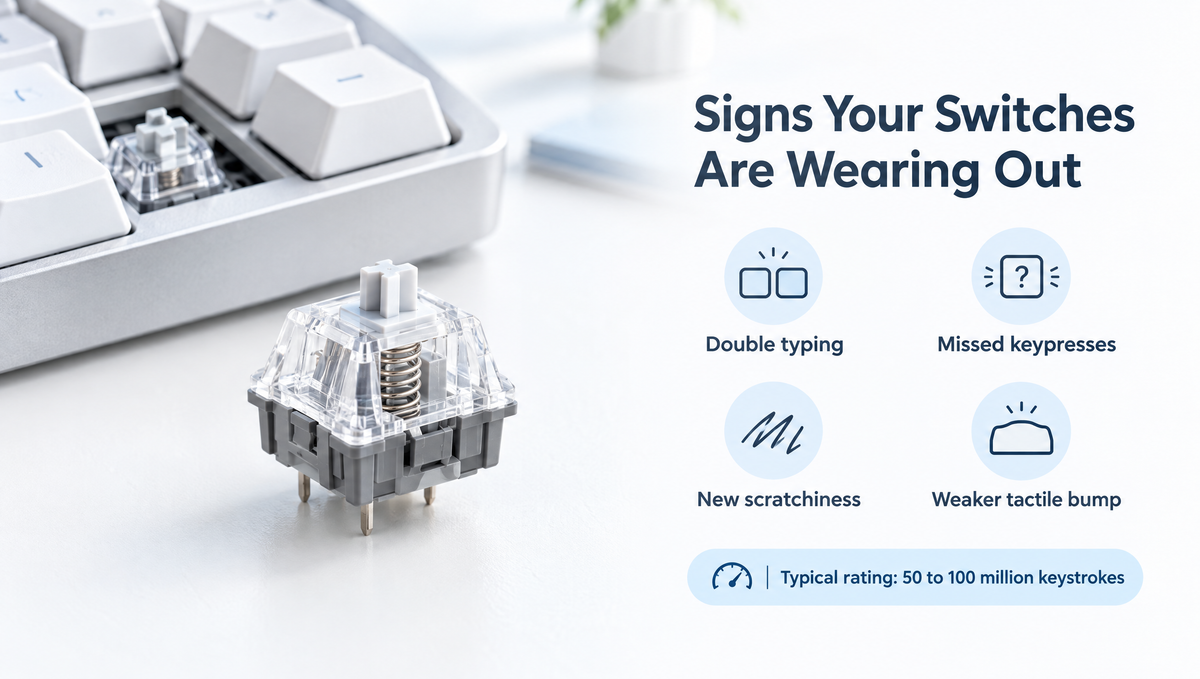
Most modern MX-style mechanical switches are rated somewhere between 50 million and 100 million keystrokes. That figure is a per-switch rating, not a per-keyboard total. Every key on your board has its own switch, so a keyboard with a 50 million keystroke rating means each individual switch is expected to survive around 50 million presses.
A few things are worth knowing about these numbers:
- They come from the manufacturer. Lifespan ratings are published by the switch maker, usually based on machine testing under controlled conditions. They are an engineering target, not a warranty.
- They describe failure risk, not a cliff edge. A switch does not stop working the moment it hits its rating. The number is closer to "the point where failure becomes more likely."
- They say nothing about feel. A switch can keep registering presses perfectly while its smoothness, sound, and spring weight gradually change.
- Ratings are not directly comparable across brands. Different manufacturers may test differently, so a higher number on one brand's spec sheet is not automatically proof of a longer-lasting switch.
How Many Years Is 50 Million Keystrokes?
The easiest way to understand keyboard switch durability is to turn keystrokes into time.
Typing at 80 words per minute works out to roughly 400 keystrokes per minute. At that pace, it would take about 125,000 minutes — around 87 days of non-stop typing — to put 50 million presses into a single key. And that assumes every one of those presses lands on the same key, which never happens.
In real use, your presses are spread across dozens of keys. Even a key you hit 10,000 times every single day would take about 5,000 days — roughly 13.7 years — to reach 50 million presses. For most people, the most-used keys are the spacebar, E, backspace, and for gamers, WASD. Those keys wear first, but even they take a very long time to reach their rated lifespan.
The practical answer to how long does a mechanical keyboard last is that the switches themselves are rarely the limiting factor. Many keyboards are retired because the owner wants an upgrade, a connector or cable fails, or a spill damages the PCB — not because the switches ran out of keystrokes.
What Actually Wears Out in a Mechanical Switch
A mechanical switch is a small assembly of plastic and metal parts, and each part ages differently. Understanding the signs of worn keyboard switches starts with knowing what is inside.
- Metal contact leaves. In a traditional mechanical switch, a pair of metal leaves touch to register a keypress. Over time, dust, debris, and oxidation on those contacts can cause key chatter — one press registering as two — or a key that only works intermittently.
- Springs. Springs can lose a little tension with heavy use, so a well-worn key may feel slightly lighter than the keys around it. Long-time users often notice this on WASD or the spacebar.
- Stems and housings. The stem slides against the housing on every press. That friction slowly polishes the contact surfaces, which can change smoothness and sound — sometimes for the better, which is why "broken-in" switches have fans.
- Lubricant. Factory lube and hand-applied lube can migrate or settle over time, which may make a switch feel scratchier or louder than it did new.
- Tactile and clicky mechanisms. Tactile bumps and click mechanisms add extra moving or flexing parts. With heavy use, the bump or click can feel softer or less crisp than it did out of the box.
Signs Your Keyboard Switches Are Wearing Out
Switch wear is usually gradual, so it helps to know what to look for:
- Double typing or key chatter — one press producing two characters.
- Missed or intermittent keypresses — a key that needs to be pressed harder or more than once.
- A noticeably lighter or heavier key compared with neighboring switches of the same type.
- New scratchiness or spring noise that was not there before.
- A weaker tactile bump or quieter click on your most-used keys.
Before blaming the switch, rule out the simple causes. Chatter and missed inputs can also come from debris under the keycap, a switch that is not fully seated in a hot-swap socket, a bent switch pin, or a firmware debounce setting. Swapping the suspect switch into a different socket is a quick way to confirm whether the problem follows the switch or stays with the keyboard.
Do Hall Effect Switches Last Longer?
Magnetic Hall effect switches work differently. Instead of two metal leaves touching, a magnet in the stem moves past a sensor on the PCB, and the keyboard measures the change in magnetic field. Because there are no electrical contacts to rub, oxidize, or bounce, the classic contact-related failure — chatter from worn or dirty contacts — is designed out.
That does not make magnetic switches immortal. They still have a spring, a stem, and housings that experience the same mechanical friction as any other switch. What changes is the failure mode: rather than chatter, a magnetic keyboard is more likely to need recalibration if a key's readings drift. If you are interested in contactless switching, you can explore magnetic keyboards and magnetic switches such as the Gateron Magnetic Jade Linear Switches. Always confirm a magnetic switch is supported by your specific keyboard before buying, because magnetic switches are not universally interchangeable the way MX-style mechanical switches usually are.
Don't Forget the Hot-Swap Sockets
On a hot-swappable keyboard, the switch is not the only part with a lifespan. The hot-swap sockets on the PCB grip each switch's pins, and they have a much lower cycle rating than the switches themselves. Kailh's common MX hot-swap sockets, for example, are rated for around 100 insertion cycles.
That is plenty for normal ownership, but it matters if you like to swap switches constantly. A few habits help:
- Test switches before swapping the whole board. A switch keychain tester lets you try a switch without putting wear on your keyboard's sockets.
- Pull switches straight up. Rocking or twisting a switch out can loosen sockets. A proper keycap and switch puller grips the switch clips evenly.
- Check the pins before inserting. Straighten any bent pin before pressing a switch in, and support the PCB from behind where possible.
How to Make Your Mechanical Switches Last Longer
You cannot change a switch's rated lifespan, but you can avoid the things that shorten its useful life:
- Keep the board clean. Dust and crumbs are a leading cause of chatter and scratchiness. Pull keycaps occasionally and clear debris with a soft brush or compressed air.
- Keep drinks away. Liquid is far more dangerous to a keyboard than millions of keystrokes. Sugary drinks in particular can leave sticky residue inside switches.
- Don't over-swap. Treat hot-swap sockets as a limited resource and use testers for comparisons.
- Store spare switches properly. Keep spares in a sealed, organized case away from dust and humidity. A dedicated switch storage case keeps them sorted and protected.
- Rotate or replace your most-used keys. On a hot-swap board, you can swap a worn WASD or spacebar switch for a fresh one in seconds instead of replacing the whole keyboard.
- Consider dust-resistant designs. Some switches, such as Kailh's Box-style switches, use a box-shaped stem design intended to help keep dust out. The Kailh Box Spring Linear Switches are one example.
Hot-Swap Keyboards Make Switch Lifespan Less Stressful
The biggest shift in mechanical keyboard longevity over the last few years is not better switches — it is hot-swap PCBs. On an older soldered board, a single failed switch meant desoldering or replacing the keyboard. On a hot-swap board, it means pulling one switch and pressing in another.
That is why buying a few spare switches when you buy a set is a smart habit. If a key ever starts chattering, you can fix it in under a minute. If you are building from scratch, a hot-swappable keyboard kit paired with your choice of key switches gives you a board you can maintain one switch at a time for as long as you want to use it.
Frequently Asked Questions
How long do mechanical keyboards last?
With reasonable care, a mechanical keyboard can last many years, and the switches are rarely the first thing to fail. Most switches are rated for tens of millions of presses each, which takes a very long time to reach in normal typing or gaming. Spills, damaged cables or connectors, and simply wanting an upgrade retire far more keyboards than worn-out switches do.
Is a 50 million or 100 million keystroke rating per key or per keyboard?
It is per switch, which means per key. Every key has its own switch, and each switch is rated individually. Your total keystrokes are spread across all of them, so the keyboard as a whole handles far more total presses than the rating number.
Can mechanical switches wear out and cause double typing?
Yes. In traditional mechanical switches, dirt, debris, or oxidation on the metal contacts can cause chatter, where one press registers twice. Before replacing the switch, clean under the keycap, reseat the switch, and check your keyboard's debounce setting if your software offers one. On a hot-swap board, swapping in a fresh switch is the fastest fix.
Do Hall effect switches last longer than mechanical switches?
Hall effect switches avoid the physical electrical contacts that cause chatter in mechanical switches, so they remove one of the most common failure points. Their springs, stems, and housings still experience mechanical wear, and a magnetic keyboard may occasionally need recalibration. They are not wear-free, but contact-related failures are not a concern.
How many times can you hot-swap switches?
It depends on the sockets your keyboard uses. Common Kailh MX hot-swap sockets are rated for around 100 insertion cycles. That is plenty for normal use, but if you like comparing lots of switches, use a switch tester instead of repeatedly swapping them in and out of your keyboard.
The Bottom Line
Mechanical keyboard switches last a very long time — typically rated for 50 to 100 million keystrokes per switch, which translates into many years of real-world use for most people. When switches do show their age, it is usually through chatter, scratchiness, or a lighter spring on your most-used keys, and on a hot-swap board that is a quick, cheap fix.
Keep your keyboard clean, keep drinks at a safe distance, go easy on your hot-swap sockets, and keep a few spares on hand. Do that, and your switches are far more likely to outlast your interest in them than the other way around.


