

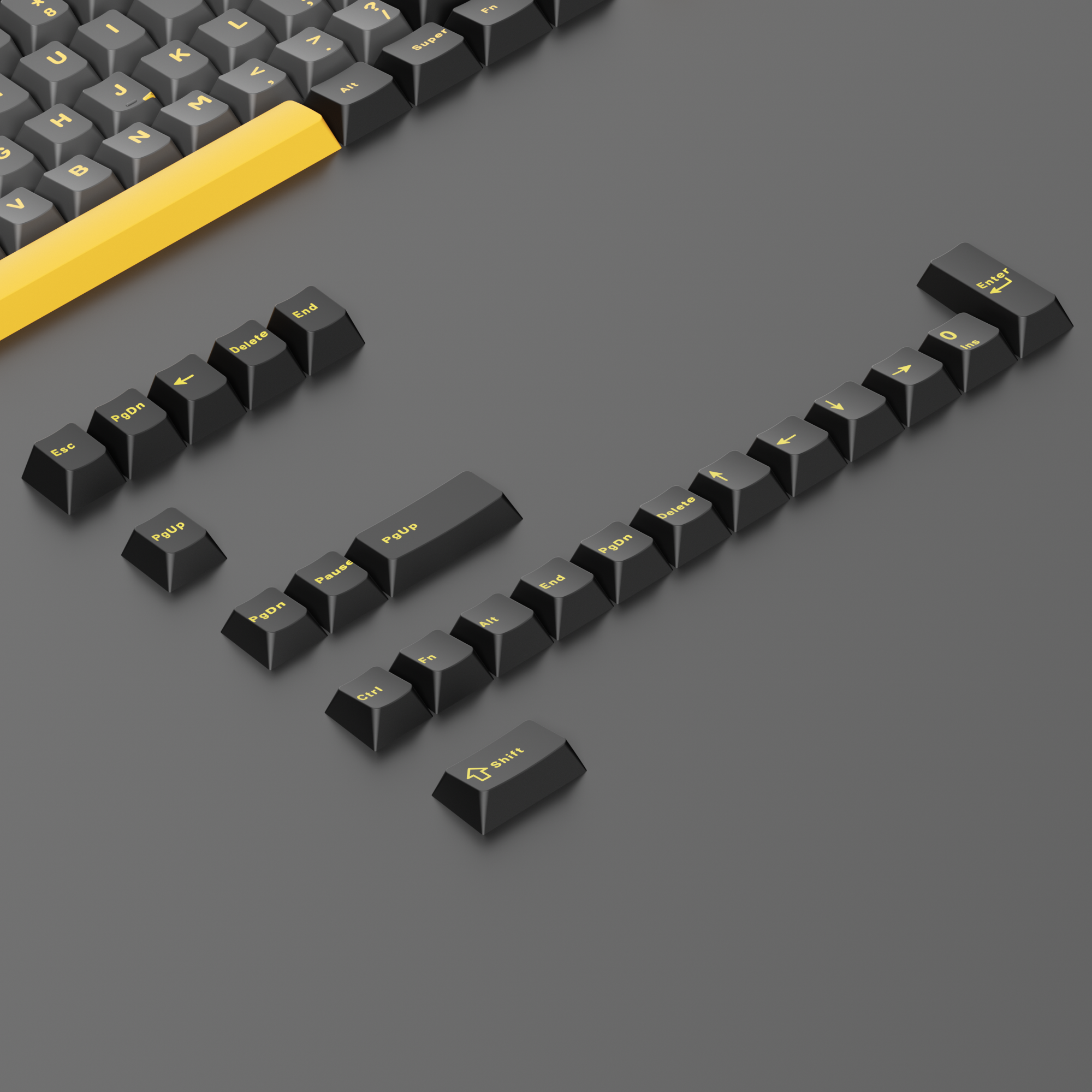
Keycap Compatibility Explained: Will These Keycaps Fit Your Keyboard?
Keycap compatibility is the most common reason a new keycap set arrives and half of it will not go on the board. The set looks perfect in photos, the switches are standard, and yet the spacebar is the wrong length or the right Shift key is left over in the box. If you have ever asked "will these keycaps fit my keyboard?", the answer almost always comes down to three things: the switch stem, the key sizes in your layout, and which keys the set actually includes.
This guide breaks down mechanical keyboard keycap compatibility in plain language — stem types, key unit sizes, bottom row layouts, ANSI versus ISO, keycap profiles, and how to check a set against your own keyboard before you buy. By the end you will be able to look at any keycap set listing and know within a minute whether it covers your board.
Are Keycaps Universal? The MX Stem Standard
Keycaps are not universal, but they are close to it in one respect: the stem. The overwhelming majority of mechanical keyboards on sale today use a Cherry MX-style cross stem — a small plus-shaped post on top of the switch that the keycap presses onto. If your switch has that cross-shaped stem, virtually any MX-compatible keycap will physically mount on it.
Switches from Gateron, Kailh and most other major manufacturers use MX-compatible stems, which is why a single keycap set can cover so many different keyboards. You can browse the store's key switches collection to see MX-style options.
The stems that are not cross-compatible are the exceptions worth knowing:
- Topre switches use a round slider and need Topre-specific caps
- Alps and Alps-clone switches use a rectangular stem
- Low-profile switches such as Kailh Choc use a thinner, shorter stem and require dedicated low-profile keycaps
- Some laptop-style scissor-switch boards use proprietary clips entirely
If you want the deeper technical background on stem shapes, our guide to switch stems and keycap compatibility covers it in detail.
Keycap Sizes Explained: How Key Units (u) Work
Once the stem matches, keycap size is what decides whether a set fits your layout. Keyboard keys are measured in units, written as u. One unit — 1u — is the width of a standard letter key, roughly 19 mm of key spacing on a standard MX keyboard. Every other key is described as a multiple of that.
On a standard ANSI layout, the sizes are:
- Esc and letter keys: 1u
- Tab: 1.5u
- Caps Lock: 1.75u
- Left Shift: 2.25u
- Right Shift: 2.75u
- Enter: 2.25u
- Backspace: 2u
- Bottom row modifiers (Ctrl, Win, Alt, Menu): 1.25u each
- Spacebar: 6.25u
A keycap set built to this standard is described as covering a standard ANSI bottom row. If your keyboard matches these sizes, most full keycap sets will fit without any drama. If it does not, that is where problems start.
The Bottom Row Is Where Most Keycap Sets Fail
The bottom row causes more compatibility complaints than anything else. Manufacturers change it freely because it does not affect typing much, but it affects keycaps enormously.
Common non-standard bottom row variations include:
- 1u modifiers instead of 1.25u — very common on compact and gaming boards, so a set with only 1.25u modifiers leaves you short
- A 7u spacebar instead of 6.25u, which also changes the stabilizer positions in the case
- A 6u spacebar with shifted stabilizer spacing, mostly on older or vendor-specific designs
- Split or dual spacebars, which replace the single long key with two or three shorter ones — see our guide to split spacebar layouts
Spacebar length matters twice over. Even if a 7u spacebar keycap physically fits the stem, the stabilizer inserts under the cap must line up with the stabilizer positions on your PCB or plate. A mismatched spacebar will either refuse to seat or bind and rattle. If you are chasing better spacebar sound while you are at it, our stabilizer tuning guide is the next step.
Keycap Compatibility by Layout: 60%, 65%, 75%, TKL and Full-Size
Different keyboard layouts need different keys, and this is why "how many keys does the set include" is a genuinely useful question.
Full-size and TKL boards are the easiest to shop for. They use the standard ANSI sizes above, and almost every full keycap set is designed around them.
65% and 75% keyboards are the trickiest. To squeeze in a dedicated arrow cluster, most of these boards shrink the right Shift from 2.75u down to 1.75u and often use 1u bottom-row modifiers on the right side. Good keycap sets include those extra sizes; budget sets frequently do not. This is exactly why 65% and 75% owners should read the included-keys list rather than trusting the render.
60% keyboards are usually well covered, since they use a standard ANSI alphanumeric block with no arrows or function row.
96% and compact full-size boards squeeze the navigation cluster against the numpad and frequently use a shorter right Shift plus 1u modifiers, so treat them like a 75% board when checking coverage.
The practical takeaway: a larger keycap set is a safer keycap set. Sets that ship well over 100 keys include the alternate sizes that compact layouts need. For example, the Glacier Obsidian Black Keycaps Set and the Glacier Mix Keycaps Set each include 128 keys, and the Glacier Crystal Jelly Keycaps Set includes 136 keys, all built for MX-style stems.
ANSI vs ISO Keycap Compatibility
If you use a UK, German, Nordic or other European layout, you are on ISO, and keycap compatibility gets stricter. The differences are structural, not cosmetic:
- Enter is a tall L-shaped key spanning two rows instead of a 2.25u rectangle
- Left Shift shrinks to 1.25u to make room for an extra key beside it
- That extra key simply does not exist on an ANSI board, so an ANSI-only set cannot cover it
An ANSI set will physically mount on an ISO board, but you will be missing the ISO Enter and the extra key next to left Shift, and you will have a spare ANSI Enter left over. If you are on ISO, look for a set that explicitly states ISO support. Our ANSI vs ISO comparison explains the layouts in full.
Keycap Profiles, Row Sculpting and North-Facing Switches
Keycap profile is about shape and height, not fit — Cherry, OEM, XDA, SA and similar profiles are all interchangeable on the same MX switches. But two profile-related issues do affect whether a set works on your board.
Sculpted profiles are row-specific. Cherry and OEM profiles have a different cap shape for each row, so caps are not freely swappable between rows. A set with too few of one row's keys will leave gaps on a non-standard layout. Uniform profiles like XDA and DSA use the same shape everywhere and are more forgiving. Our keycap profile guide walks through the differences.
North-facing switches can interfere with Cherry profile caps. On boards where the switch LED window faces the top of the keyboard, the underside of a low-sitting Cherry profile keycap can contact the switch housing before the key bottoms out, producing a harsh feel or a slight interference. Taller profiles such as OEM generally clear north-facing housings without trouble. If your board is north-facing and you want to avoid the issue entirely, an OEM-profile set like the Glacier Frosted Keycaps Set is the safer pick, and you can browse the full OEM profile and Cherry profile collections side by side. Our article on north vs south-facing PCBs explains how to identify which you have.
Do Standard Keycaps Fit Hall Effect and Magnetic Keyboards?
This comes up constantly now that magnetic and Hall effect keyboards have gone mainstream. In most cases, yes — magnetic switches are typically built with the same MX-style cross stem as traditional mechanical switches, so standard MX keycaps mount normally.
Two cautions apply. First, always confirm the stem shape for your specific switch rather than assuming. Second, keycap weight and height affect calibration on some magnetic boards, because these switches measure travel rather than a simple contact point. If you swap to a noticeably heavier or taller set and your rapid trigger or actuation feel changes, re-run your keyboard software's calibration routine. Our guide to adjustable actuation on magnetic keyboards explains why.
How to Check Keycap Compatibility Before You Buy
Run through this checklist and you will avoid nearly every fitment problem:
- Confirm your stem type. Pull one keycap and look. A cross-shaped post means MX-compatible.
- Measure your bottom row. Compare your Ctrl, Win and Alt keys to the letter keys. Same width means 1u modifiers; noticeably wider means 1.25u.
- Check your spacebar length. Count how many letter-key widths it spans. Roughly six and a quarter means 6.25u.
- Check your right Shift. On 65%, 75% and 96% boards it is usually 1.75u rather than 2.75u.
- Read the included-keys list, not the render. Product photos show one layout; the key count and kit description tell you what you actually receive.
- Confirm ANSI or ISO. If your Enter key is tall and L-shaped, you need an ISO-compatible set.
To pull caps for the inspection, use a dedicated puller rather than fingernails or a screwdriver. A proper keycap puller grips the cap from opposite sides and lifts it straight up, which is far less likely to scratch, crack or stress the cap than prying from one edge. The Glacier Keycap/Switch Puller Tool and the Glacier Keycap/Key Switch Tool both handle keycap and switch removal, and you can see the rest of the range in keyboard tools.
Frequently Asked Questions About Keycap Compatibility
Are keycaps universal across all mechanical keyboards?
No, but MX-style keycaps come close. Nearly all modern mechanical keyboards use a Cherry MX-compatible cross stem, so the caps will physically mount. What varies is key sizes — spacebar length, modifier widths and right Shift size — which is what determines whether the whole set actually covers your board.
Will keycaps from a full-size keyboard fit a 65% keyboard?
Partially. The alphanumeric block will transfer fine, but a full-size board's 2.75u right Shift and 1.25u right-side modifiers will not fit a 65% layout that expects a 1.75u right Shift and 1u modifiers. Look for a set that includes those extra sizes.
How do I know if my spacebar is 6.25u or 7u?
Compare it to your letter keys. Line up how many 1u caps would span the spacebar: about six and a quarter widths means 6.25u, seven full widths means 7u. The stabilizer positions differ between the two, so the wrong size will not seat correctly even though the stem matches.
Can I mix keycaps from different sets and profiles?
You can, and plenty of people do it deliberately for accent keys. Just remember that sculpted profiles are row-specific — a Cherry profile cap made for the home row will feel wrong on the number row — and that mixing PBT and ABS caps means mixing two different textures and sound signatures.
Getting Keycap Compatibility Right the First Time
Almost every keycap fitment problem traces back to the same root cause: the buyer checked the stem and the aesthetics but never checked the key sizes. Confirm your stem type, measure your bottom row, note your right Shift and spacebar sizes, and read the included-keys list before you order. Do that and a new set becomes a fifteen-minute upgrade rather than a return.
When you are ready to shop, the full keycaps collection lists profile, material and key count for each set, and the keyboard accessories range covers the tools you will want alongside them.


