

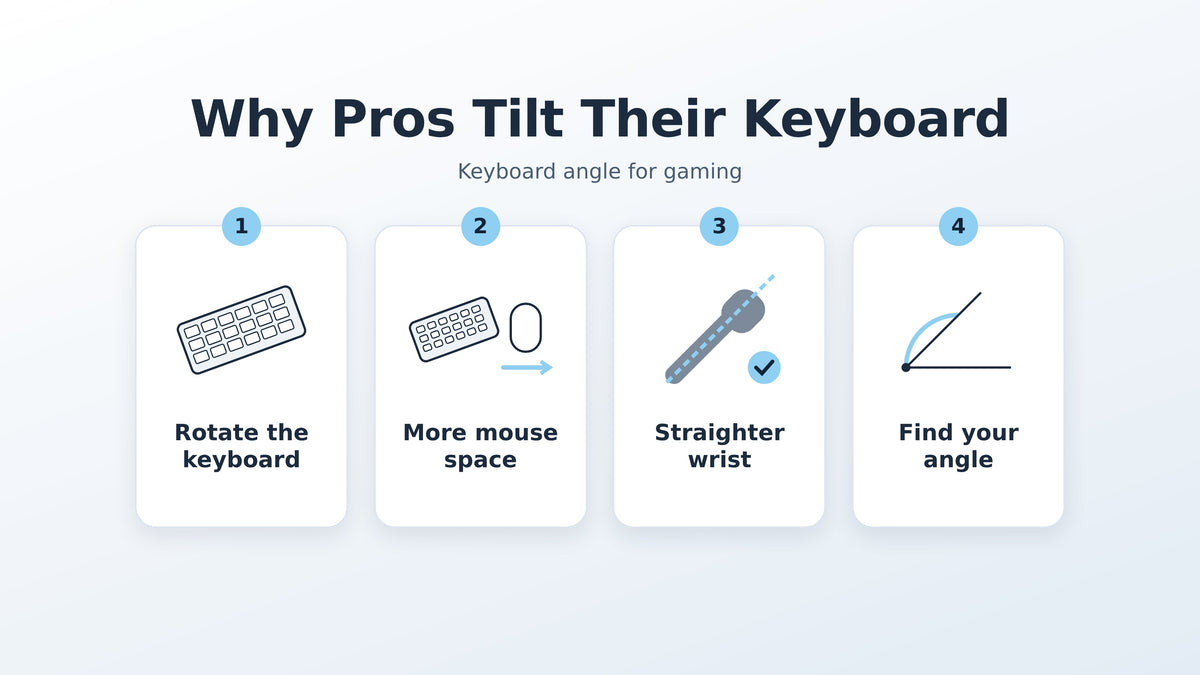
Why Do Pro Gamers Tilt Their Keyboard?
Watch almost any Counter-Strike, Valorant or Fortnite tournament and you will notice something odd: many players sit with their keyboard tilted sideways, sometimes slightly, sometimes rotated so far that it is nearly perpendicular to the monitor. If you have ever wondered why pro gamers tilt their keyboard, whether it gives a competitive advantage, and whether you should copy it, this guide covers the real reasons, the history behind the habit, the ergonomic trade-offs, and how to find the right keyboard angle for gaming at your own desk.
The short answer: rotating the keyboard is mostly about freeing up mouse space and letting the left arm sit at a more natural angle. It does not make your inputs faster, and the game has no idea which way your keyboard is pointing. But for low-sensitivity players on a crowded desk, it can make a real difference to comfort and aim consistency.
Reason 1: More Room for the Mouse and Mousepad
The biggest reason players rotate their keyboard is mouse space. Many competitive FPS players use a low mouse sensitivity, which means large arm movements for every turn. A full 180-degree flick at a low sensitivity can take a long sweep across the mousepad, and that sweep moves left as often as it moves right.
When the keyboard sits square in front of you, its right-hand edge (the arrow keys, Enter and, on a full-size board, the numpad) sits exactly where your mouse wants to travel on a big left swipe. The result is the classic problem of the mouse hitting the keyboard mid-fight. Rotating the keyboard pulls that right edge up and away from the mousepad, opening a wider lane for the mouse without moving the keyboard further from your left hand.
- Low-sensitivity players benefit most, because they use the most horizontal mousepad space.
- Arm aimers need more clearance than wrist aimers, who move the mouse in a smaller area.
- Small desks make the problem worse, which is why the habit is so common at events where space is limited.
If you are not sure how much space your sensitivity needs, our guide to mouse DPI and sensitivity explains how DPI and in-game sensitivity combine, and the mousepad size guide helps you match a pad to that movement.
Reason 2: A More Natural Left Arm and Wrist Position
The second reason is comfort. When you play, your left hand rests on WASD, which sits on the far-left side of the keyboard. Your left forearm rarely meets the keyboard perfectly square-on; it usually arrives at an angle. With the keyboard squared to the desk, many players find their wrist has to bend sideways to line the fingers up with the key columns.
Sideways wrist bending is called wrist deviation (when the hand bends toward the little finger it is ulnar deviation), and it is one of the postures ergonomists generally try to reduce. Rotating the keyboard to match the angle of your left forearm lets the hand, wrist and forearm sit in a straighter line. It is the same basic idea behind split and angled ergonomic keyboards, applied to a regular board on a gaming desk.
A few players also say the angle makes it easier to rest the forearm or elbow on the desk, and that it changes which keys around the spacebar the left thumb can comfortably reach.
Where the Keyboard Tilt Habit Came From
The tilted keyboard is often traced back to the early days of competitive Counter-Strike. Early tournaments were offline LAN events, and players brought their own bulky PCs and monitors to venues that were not built for esports. Tables were cramped and teams sat shoulder to shoulder, so turning the keyboard sideways was a simple way to save desk space and keep room for the mouse.
Many players also picked up the habit in internet cafes with tight desks and never stopped, while newer players copy the setups they see on stream, even though modern event desks are far roomier.
Does Tilting Your Keyboard Improve Aim or Reaction Time?
No, not directly. Tilting your keyboard does not change input lag, polling rate or how quickly a keypress is registered. A key press is a key press, whatever angle the board sits at. Any benefit comes from two indirect effects:
- Fewer collisions between the mouse and keyboard, which means fewer interrupted flicks and less need to lift and reposition the mouse.
- A more comfortable left hand, which can help you stay relaxed and consistent over long sessions.
If you want a genuine speed advantage from the keyboard itself, that comes from features such as rapid trigger and adjustable actuation on Hall effect keyboards, covered in our guide to the best rapid trigger settings for CS2 and Valorant. Keyboard angle is about space and comfort, not speed.
Is a Tilted Keyboard Bad for Your Wrists?
It depends on how you sit. A moderate rotation that lines the keyboard up with your forearm can reduce sideways wrist bending. An extreme rotation, or one that forces you to twist your shoulder, lean to one side or reach across your body, can create new strain somewhere else.
Keep these points in mind:
- Your wrist should look roughly straight from forearm to knuckles when your fingers rest on WASD, both from above and from the side.
- Do not copy a pro's angle blindly. Their desk, chair, arm length and sensitivity are different from yours.
- Front-to-back slope matters too. Raising the back of the keyboard with flip-out feet can bend the wrist upward. Our guide to keyboard typing angle and front height covers that side of the setup.
- Typing is different from gaming. General office ergonomics guidance usually places the keyboard flat and centered in front of you for typing. A rotated board suits a left-hand-only gaming posture, so many people straighten it again for work or chat.
If you feel pain, numbness or tingling in your hands or wrists, change your setup and speak with a medical professional rather than pushing through it.
How to Find the Best Keyboard Angle for Gaming
There is no single correct angle. Some players rotate a few degrees, others turn the keyboard to around 45 degrees, and a few go nearly sideways. Use this process to find your own sweet spot:
- Set your mouse position first. Place the mousepad where your aiming arm is relaxed, with the elbow close to your side or resting on the desk.
- Do a full-range sweep. Make the biggest left-hand flick you use in game and note where the mouse runs into the keyboard.
- Rotate the keyboard gradually. Turn it counterclockwise (right side moving up and away from you) in small steps until the mouse clears it on that sweep.
- Check your left hand. Rest your fingers on WASD and look at your wrist. Adjust the rotation and the keyboard's distance from you until the wrist is close to straight.
- Play for a few sessions. A new angle feels strange at first. Give it several days before you judge it, and change only one thing at a time.
- Re-check after any hardware change. A new mousepad, a different sensitivity or a smaller keyboard can all change the ideal angle.
Compact Keyboard Layouts: The Other Fix for Mouse Space
Tilting is not the only way to get your mouse room back. A compact keyboard layout removes the parts of the board that most often get in the way, so many players find they need much less rotation, or none at all.
- Full-size and TKL keyboards are the widest, and the numpad on a full-size board sits right in the mouse's path. These boards are the most likely to need a big rotation.
- 75% keyboards keep the function row and arrow keys in a much narrower footprint.
- 65% keyboards drop the function row but keep the arrow keys, making them a popular middle ground for gaming.
- 60% keyboards are the smallest common layout and leave the most room for low-sensitivity aiming.
For example, the Skyloong GK61 Pro Keyboard uses a compact 61-key layout, while the Skyloong GK68HE Magnetic Keyboard is a 67-key board with magnetic Hall effect switches, rapid trigger and adjustable actuation. If you prefer to build your own, the Weikav NUT65 Keyboard Kit is a 65% barebone kit. You can compare sizes in our 60% layout keyboards and 75% layout keyboards collections, and our article on why 65% and 75% keyboards are so popular explains the trade-offs.
Many competitive players combine both approaches: a compact board with a moderate tilt, which gives plenty of mouse room without an extreme angle.
Other Desk Setup Tips for FPS Gaming
Keyboard angle works best as part of a well-planned gaming desk. A few related changes can make as much difference as the rotation itself:
- Move the keyboard left. Sliding the board further left, so WASD sits roughly in front of your left shoulder, frees space on its own.
- Stop the keyboard sliding. A rotated board takes sideways force from your hand. Make sure its rubber feet grip the desk or desk mat so it stays where you set it.
- Manage the cable. A rotated keyboard changes where the cable runs. Route it away from the mousepad so it does not catch your mouse arm.
- Size the mousepad to your sensitivity. Low-sensitivity players often benefit from a larger pad; see the mousepads collection for options.
- Match your grip. Grip style changes how much space you use, as explained in our mouse grip styles guide.
Keyboard Tilt FAQ
Why do CS2 and Valorant players tilt their keyboards?
Mainly for mouse space. Many tactical shooter players use low sensitivity and make big arm movements, and rotating the keyboard moves its right side out of the mouse's path. It also lets the left hand sit at a more natural angle on WASD. The habit dates back to cramped LAN events in early competitive Counter-Strike.
Does tilting your keyboard give you an advantage?
Not a direct one. It does not change input speed or how keys register. The benefit is indirect: fewer collisions between the mouse and keyboard and a more relaxed left hand, which can help aim consistency and comfort over long sessions.
What angle should I tilt my keyboard for gaming?
There is no correct number. Some players use a slight tilt, others turn it to around 45 degrees, and some go nearly sideways. Rotate the keyboard until your mouse clears it on your biggest flick and your left wrist looks roughly straight on WASD.
Is it bad to tilt your keyboard?
Not if the angle keeps your wrist straight and your shoulders relaxed. A moderate rotation can actually reduce sideways wrist bending. Problems come from extreme angles that make you twist, lean or reach. For typing, most people are more comfortable with the keyboard flat and centered.
Should I get a smaller keyboard instead of tilting it?
A 60%, 65% or 75% keyboard frees up a lot of mouse space on its own, so many players need much less tilt after switching from a full-size board. Plenty of players use both a compact layout and a moderate rotation.
The Bottom Line on Keyboard Tilt
Pro gamers tilt their keyboards for practical reasons: more mouse space for low-sensitivity aiming and a more natural left-hand position, with a bit of LAN history and habit mixed in. It will not make you react faster, but it can make your setup more comfortable and stop your mouse from crashing into your keyboard mid-flick.
Start with your mouse position, rotate gradually, keep your wrist straight, and consider a compact layout if you are still short on space. The best keyboard angle is the one that fits your desk, your sensitivity and your body, not the one you saw on stream.


