

Linear Switches Explained: Why Smooth Is So Popular
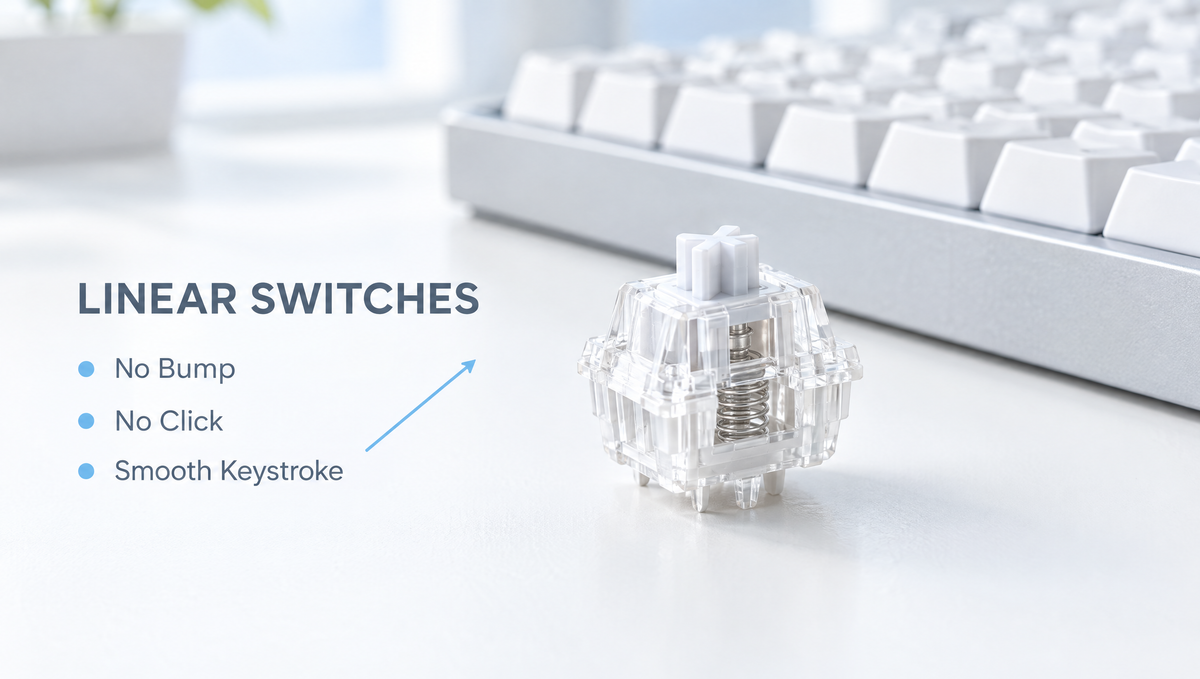
Linear switches are the most popular type of mechanical keyboard switch for gaming, and a favorite of many typists too. A linear switch has no tactile bump and no click. You press the key and it travels straight down in one smooth, uninterrupted motion until it bottoms out.
That simplicity is exactly why linear keyboard switches are so widely recommended, but it also raises plenty of questions. Why do some linears feel buttery while others feel scratchy? What spring weight should you pick? Are linear switches really better for gaming? And how do you choose the best linear switches for your keyboard without buying a full set you end up disliking?
This guide covers how linear switches work, what the specs actually mean, the difference between light, heavy, and speed linears, and how to pick the right linear switch for typing, gaming, or both.
How Do Linear Switches Work?
Most linear switches use the standard MX-style design: a stem, a spring, a top housing, a bottom housing, and a metal contact leaf. When you press the key, the stem slides down, the spring compresses, and the stem legs move away from the contact leaf so the switch registers the press.
What makes a switch linear is the shape of the stem legs. On a linear stem, the legs are smooth, with no raised profile to catch the leaf. That means:
- The only resistance you feel comes from the spring, which gets steadily firmer the further you press.
- There is no force peak or drop, so the keystroke feels the same from top to bottom.
- There is no click mechanism, so the switch itself adds no extra click sound.
On a switch force curve, a linear switch shows up as a fairly straight, rising line. A tactile switch adds a hump in that line, and a clicky switch adds a hump plus a click event.
Linear vs Tactile vs Clicky Switches
The linear vs tactile debate is one of the most common beginner questions. Here is the short version:
- Linear switches: smooth and consistent, no bump, no click. Popular for fast gaming and for typists who like a light, fluid feel.
- Tactile switches: a noticeable bump partway down that confirms the keypress. Popular with typists who want feedback without noise.
- Clicky switches: a bump plus an audible click. Satisfying for some people, distracting for anyone sharing the room.
None of these is objectively better. If you have never tried a mechanical keyboard before, a medium-weight linear is a common, safe starting point because there is nothing unusual to get used to.
How to Read Linear Switch Specs
Because a linear switch has no bump, its spec sheet is easier to read than a tactile switch's. These are the numbers that matter most:
- Operating (actuation) force: how much force it takes to register a keypress, usually listed in grams (g) or gram-force (gf).
- Bottom-out force: the force at the end of travel. A bigger gap between actuation and bottom-out force means the spring ramps up more.
- Pre-travel: how far the key moves before it actuates. Many standard linears sit around 2.0mm.
- Total travel: how far the key moves before bottoming out, commonly in the 3.5mm to 4.0mm range.
- Spring length: longer springs, such as 20mm or 22mm springs, tend to feel more consistent through the stroke and return the key with more snap than a standard spring of the same weight.
- Stem and housing materials: these shape both smoothness and sound. POM stems are especially common on smooth linears.
How tightly the stem and housings fit together also affects how stable a linear feels. Our guide to keyboard switch wobble explains why some switches rattle more than others.
Light, Medium, Heavy, and Speed Linear Switches
Linear switches differ mostly in weight and travel. A rough guide to linear switch weights:
- Light linears (around 35 to 45g): fast and low-effort. Great for light typists and quick inputs, but easier to press by accident if you rest your fingers on the keys.
- Medium linears (around 45 to 55g): the sweet spot for most people. Light enough for long sessions, firm enough to avoid most accidental presses.
- Heavy linears (60g and up): preferred by heavy-handed typists who bottom out hard and want the spring to push back.
Speed linears are a separate category. They shorten the pre-travel, often to around 1.2mm, so the key actuates earlier. That can feel very responsive in games, but it also makes typos more likely if you brush keys while typing.
Long pole linears are another popular variation. Their longer stem pole bottoms out earlier, shortening total travel and creating a sharper, clackier sound. Our guide to long pole switches explains the trade-offs.
Why Do Some Linear Switches Feel Scratchy?
"Smooth" is the whole point of a linear switch, so scratchiness is one of the most common complaints in linear switch discussions. It usually comes from a few sources:
- Friction between the stem and housing. Tight tolerances, rough molding, or certain material pairings can create a gritty or scratchy feel as the stem slides.
- Dry or uneven lube. Unlubed switches are more likely to feel scratchy. Factory lube helps, but coverage can vary from switch to switch.
- Spring noise. A dry spring can create a metallic ping or crunch that people mistake for scratchiness.
- Break-in. Many linear switches feel a little smoother after some use as contact surfaces wear in.
Today, most quality linear switches ship factory pre-lubed, which solves a lot of this out of the box. If you want to know whether hand lubing is worth the effort, read are pre-lubed switches good enough? and our step-by-step guide on how to lube mechanical keyboard switches. Linears are generally the easiest switch type to lube well, because there is no bump to dampen.
Are Linear Switches Good for Gaming?
Yes. Linear switches are the most common choice for gaming keyboards, and for good reason:
- Consistency: every keypress feels the same, which helps with muscle memory.
- Fast repeated presses: with no bump to push through, double-tapping and rapid movement inputs feel effortless.
- Quiet operation: without a click mechanism, linears are usually quieter than clicky switches.
The catch is that a very light or short-travel linear can register keys you only meant to rest on. If that happens to you, a slightly heavier spring is often the simplest fix.
Linear feel is also the standard for magnetic Hall effect switches. Most magnetic switches are linear, because the keyboard measures key position with a sensor rather than a metal contact. That is what makes features like adjustable actuation and rapid trigger possible. If you are building a Hall effect setup, the Gateron Magnetic Jade Linear Switches are a pre-lubed magnetic linear option, and our guide to rapid trigger explains how those features work. Remember that magnetic switches only work in keyboards designed for them, not in standard mechanical hot-swap sockets.
Are Linear Switches Good for Typing?
They can be excellent for typing. Many fast typists love linears because the light, smooth stroke lets fingers glide from key to key. The main downside is that there is no physical cue that a key has registered, so some people bottom out every keystroke, which can feel harsh over long sessions.
If you type a lot on linears, a medium spring weight and soft-landing keycaps or a well-dampened keyboard can make a big difference to comfort and sound. Our guide on how to make a mechanical keyboard quieter covers several easy ways to soften bottom-out noise. For a near-silent office keyboard, look at silent switches, which add dampening inside the switch.
How to Choose the Best Linear Switches
Use these questions to narrow down which linear switch is right for you:
- How heavy do you like your keys? Start in the medium range if you are unsure, then go lighter or heavier based on how it feels.
- Do you want standard or shorter travel? Standard travel is more forgiving for typing. Speed and long pole linears feel snappier and shorter.
- What sound are you after? Housing materials, keycaps, plate, and foam all shape linear switch sound, so treat sound tests as a rough guide.
- Do you want to lube them yourself? If not, choose pre-lubed linear switches.
- Is your keyboard hot-swappable, and 3-pin or 5-pin? Check that your board supports the pin type, or trim the side pins on 5-pin switches for a 3-pin board.
A few linear switch options from our catalog:
- Kailh Box Spring Linear Switches: a 5-pin box-style linear with a lubricated stem, an extended 20mm spring, and a high-slip POM base. Kailh describes the box design as dustproof and waterproof.
- Gateron G Pro 3.0 Switches: factory pre-lubed 5-pin switches with a transparent top housing and an improved light-guide structure for brighter RGB, with linear options in the lineup.
- Gateron Magnetic Jade Linear Switches: a pre-lubed magnetic linear for compatible Hall effect keyboards.
You can compare more options in our full linear switches collection, or browse by brand in Gateron linear switches and Kailh linear switches.
Test Linear Switches Before You Buy a Full Set
Two linear switches with similar specs can still feel different under your fingers, so it pays to try a few before buying 70 or more.
- A switch keychain tester lets you press switches side by side and compare weight and smoothness.
- Press slowly to feel for scratchiness, then quickly to judge how the spring returns.
- On a hot-swap keyboard, swap a few test switches into keys you use constantly, like WASD or the home row, and use them for a few days.
Our guide on how to test switches before buying goes deeper. When you are ready to swap, a proper tool such as the Glacier Keycap/Switch Puller Tool from our keyboard tools collection helps you remove switches without bending pins.
Frequently Asked Questions About Linear Switches
What is a linear switch on a keyboard?
A linear switch is a mechanical keyboard switch with no tactile bump and no click. The key moves straight down with smooth, steadily increasing resistance from the spring until it bottoms out.
Are linear switches better than tactile switches?
Neither is better overall. Linear switches suit people who want a smooth, consistent keystroke, especially for gaming. Tactile switches suit people who want physical confirmation of each keypress. It comes down to personal preference.
Are linear switches loud?
Linear switches are usually among the quieter mechanical switches because they have no click mechanism. Most of their sound comes from bottoming out and returning to the top, plus your keycaps and keyboard build. Silent linears add dampening to reduce that further.
What is a good weight for linear switches?
Around 45 to 55g is a comfortable range for most people. Lighter linears feel faster but are easier to press by accident, while 60g and heavier suits typists who press hard.
Why do my linear switches feel scratchy?
Scratchiness usually comes from friction between the stem and housing, dry or uneven lube, or spring noise. Pre-lubed switches, a short break-in period, or hand lubing the stem and rails typically make linears feel noticeably smoother.
Final Thoughts on Linear Switches
Linear switches are popular because they are simple: no bump, no click, just a smooth keystroke. The real decisions are spring weight, travel, smoothness, and sound. Pick a medium weight if you are unsure, test a few switches by hand, and adjust from there.
When you are ready, explore our linear switches to find the smooth, consistent feel that suits how you type and play.


